See it for real
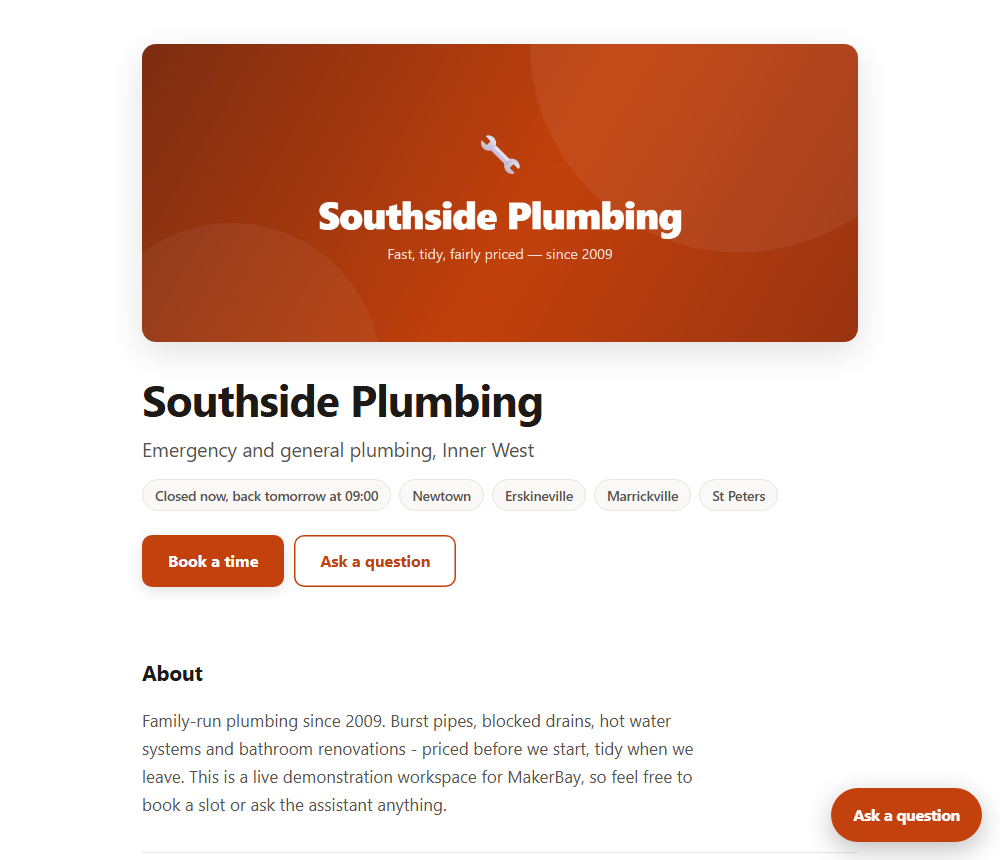
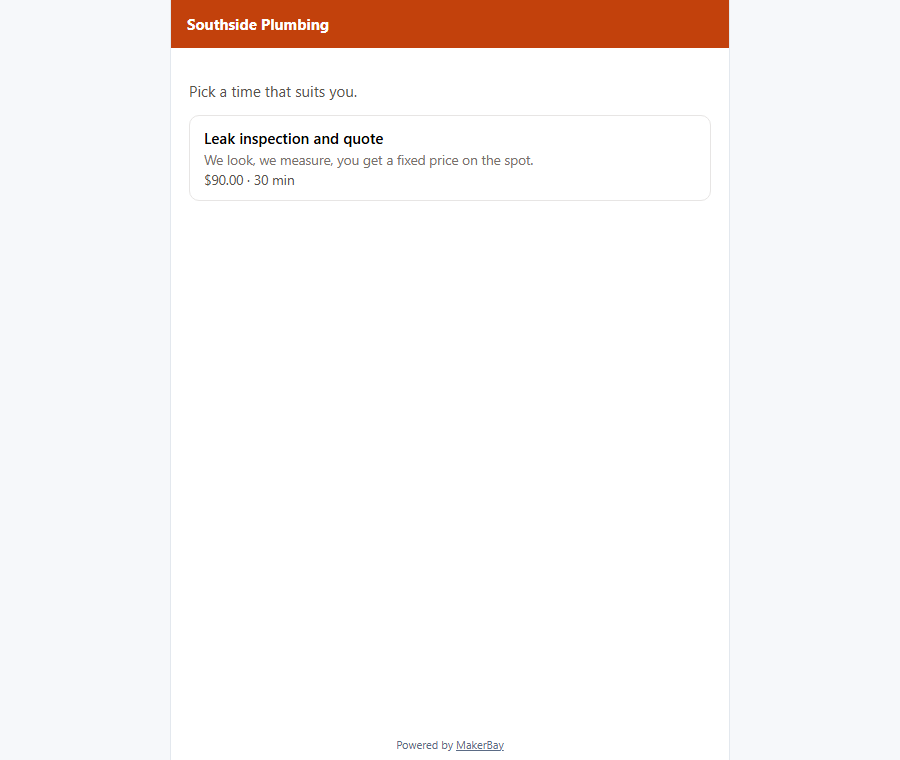
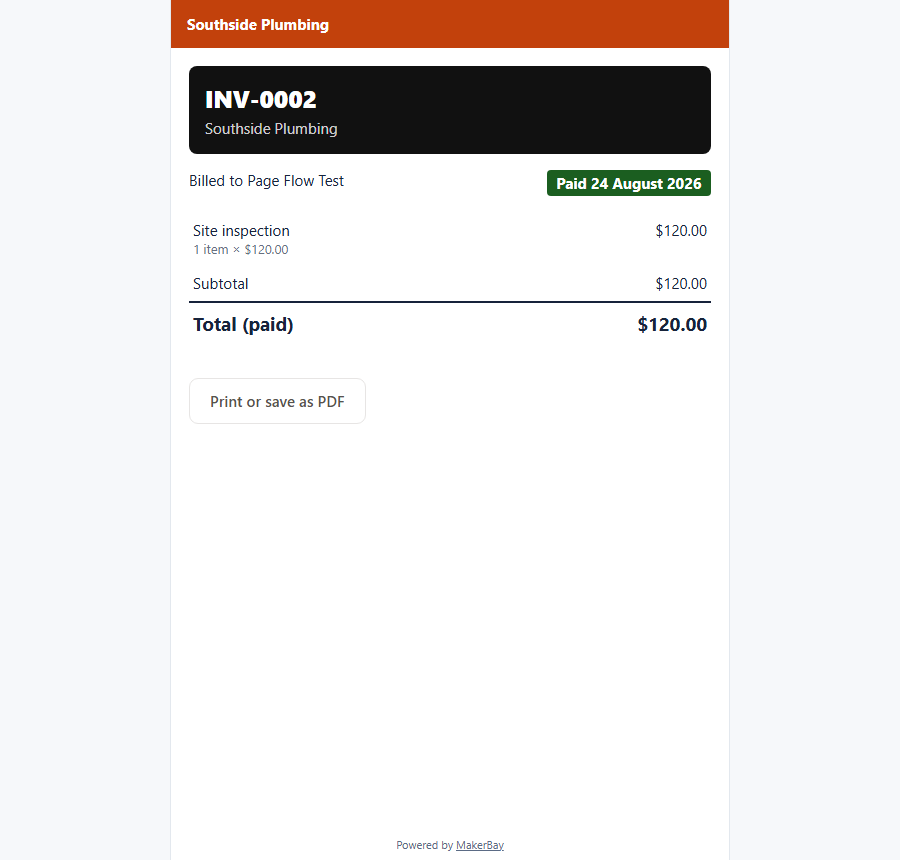
Not mockups — the actual product. The example page is live; open it, book a slot, ask it something.
How the assistant works → · Every module and what it costs →
Paste your website, your Facebook page or your Google listing. We will build you a working business page in about a minute, with your services, your prices and your hours on it.
Free · No account · Nothing published without your say soNo website yet? Start free, or explore the demo workspace.
A customer finds you, asks something, books a time, agrees a price, pays, and — if you remember to ask — leaves a review. MakerBay has a module for each step, and they already know about each other.
A real page with your services, prices and hours — plus a guided checklist that gets your Google profile right.
Your page · Get foundAn assistant that answers from your own documents at 11pm, and a text-back that rescues the calls you miss on the tools.
Assistant · Missed-call rescueCustomers pick a real free slot from your actual diary, get a reminder before the day, and cancel themselves instead of no-showing.
BookingsA quote from your saved price list, accepted with one tap — then one click turns it into a numbered, printable invoice.
Quotes · InvoicesOne polite ask, right after the job is done. The words go on your page, and everyone is offered your Google link — no gating, ever.
Reviews · Get foundStart with the module that hurts most. Everything else can wait until you need it.
Electricians, plumbers, builders, landscapers, mobile mechanics
Your phone rings in a roof cavity. Missed-call rescue texts the caller your booking link and writes their voicemail into your inbox — job, address, urgency. Quote it from your price list on your next break, invoice it when they accept.
Start with: Quotes and Your page — missed-call rescue joins when it reaches your region
Salons, clinics, tutors, studios, personal trainers
Every booking that arrives by phone interrupts a paying customer. Put your real availability online, let people book and cancel themselves, and let the reminder email cut the no-shows.
Solo founders, side businesses, local services just starting out
No website, no time to build one. Your MakerBay page exists the moment your workspace does — services, hours, a booking button and an assistant answering questions while you are at your day job.
Start with: Your page and the assistant
Not mockups — the actual product. The example page is live; open it, book a slot, ask it something.
How the assistant works → · Every module and what it costs →
We launched recently and we are not going to invent customer quotes. These are all things you can verify yourself before you trust us with anybody's phone number.
Because the product is built to be checked, not just believed.
Answers come only from your documents, with sources shown. When it doesn't know, it says so in wording you choose — a wrong answer to a customer costs you more than no answer.
Every customer who responds is offered your Google review link, whatever they scored. Filtering out unhappy customers breaks Google's rules, and the roadmap says so publicly.
Your page stays out of Google until it has real content — an intro, a photo, a priced service. A half-finished page in search results does you harm, so we don't publish one.
Contacts exports to CSV whenever you like, on every plan. A customer list you cannot take with you is not really yours.
Every customer-visible change ships with a changelog entry, and the roadmap lists what we are not building, in public, so you can plan around us.
When a customer pays you, the money goes from them to you through your own Stripe account. We never hold it and we add no fee — Stripe's rate is Stripe's. Tools that clip a percentage of your work are charging you to be paid.
If an email can't send or a feature isn't configured yet, the dashboard says exactly that — not a spinner, not a silent failure.
Sign up with an email address. No sales call, no card. Your page exists immediately.
Drag in a PDF or paste your FAQ. Add your services and hours if customers book you.
Ask the assistant questions in the playground and see which documents it used.
Paste one line into your site, or just share your page — it books, quotes and answers.
Free runs your business online. Trade switches everything on. Genie runs it from a conversation. That is the whole decision.
Run your business online. Actually free.
Everything switched on.
Your business, run from a conversation.
Same prices worldwide, in USD. Every plan includes a Genie taster — 25 messages a month on Free, 250 on Trade; the full Genie allowance is its own plan. We add no fee on card payments — Stripe's rate is Stripe's. The full pricing page.
No. Every workspace gets a real page at makerbay.app with your services, hours and a booking button, plus a hosted chat page you can share as a link or QR code. If you do have a site, adding the chat bubble is one line of HTML.
If you can attach a file to an email, you can set this up. Nothing needs code except the optional chat bubble, which is one line your web person pastes once.
About ten minutes: create the workspace, add your FAQ or price list, try it in the playground, share the link.
It says so, in wording you choose, rather than guessing. Those questions are collected for you so you can answer them once and have it handled from then on.
No. Every reply is grounded in the documents you uploaded, with sources shown.
Your page, Contacts, Requests, Quotes with invoices, Get found and the help centre — free, with no trial clock. You pay for the assistant, Bookings and Reviews, and only once you switch them on.
You are told in the dashboard, plainly, before anything stops. The caps exist to bound our costs, not to push you into upgrading.
Yes. Every document, contact and conversation is tied to your workspace, and answers are only ever drawn from your own documents.
Yes. Contacts exports to CSV whenever you like, on every plan. A customer list you cannot take with you is not really yours.
Yes. Everything the dashboard does is available over a REST API with your own keys.
Set it up today on the free plan. If it isn't useful, you've lost ten minutes.
Create your workspace